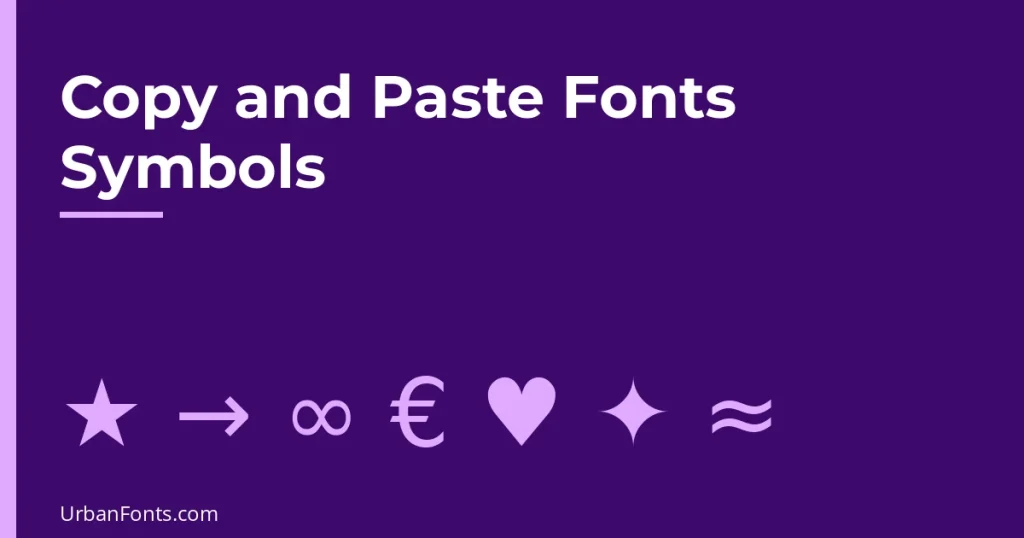
Copy and paste fonts symbols means copying real Unicode characters, such as stars, hearts, arrows, math signs and currency marks, instead of styled letters. Every symbol on this page has a fixed code point and an official name, so it pastes the same way into Word, Google Docs, WhatsApp, a bio or a spreadsheet. Click and drag to select a symbol, copy it, and paste it where you need it.
These are characters from the Unicode standard, not fonts. Which font draws them depends on the device, so the shape can differ slightly between a Windows laptop, an iPhone and an Android phone. If you want styled letters rather than symbols, see our guide to font generator copy and paste.
Stars and sparkles
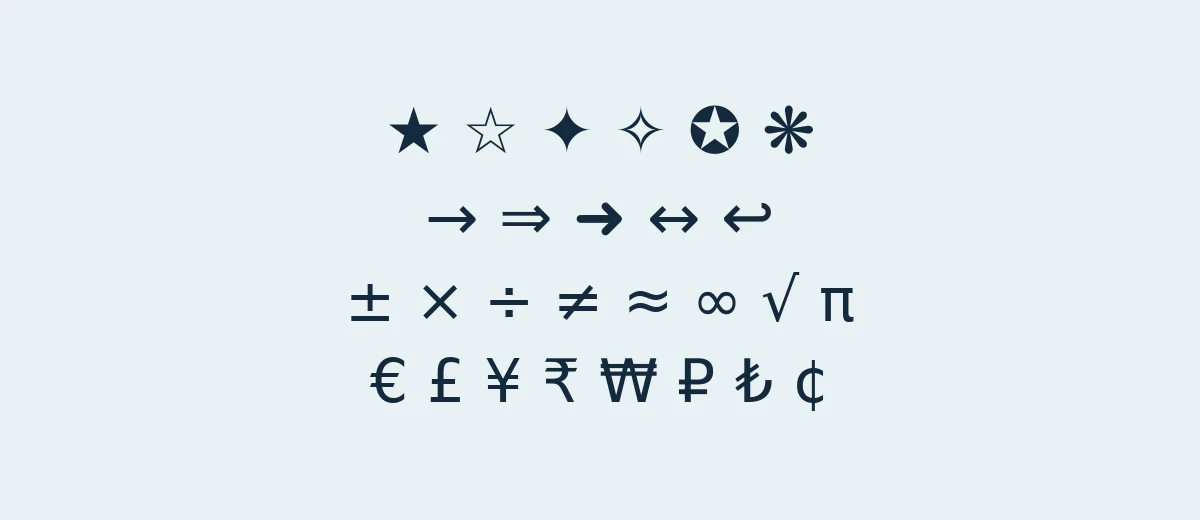
Stars are the most copied decorative symbols. They come from Unicode’s Miscellaneous Symbols and Dingbats blocks, and the official names are useful if you ever need to search for one.
| Symbol | Code point | Official name |
|---|---|---|
| ★ | U+2605 | black star |
| ☆ | U+2606 | white star |
| ✦ | U+2726 | black four pointed star |
| ✧ | U+2727 | white four pointed star |
| ✪ | U+272A | circled white star |
| ✯ | U+272F | pinwheel star |
| ❋ | U+274B | heavy eight teardrop-spoked propeller asterisk |
| ☀ | U+2600 | black sun with rays |
Arrows
Arrows live mostly in the Arrows block (U+2190 to U+21FF), with decorative variants in Dingbats. Use them for steps, menus and “swipe up” cues.
| Symbol | Code point | Official name |
|---|---|---|
| → | U+2192 | rightwards arrow |
| ← | U+2190 | leftwards arrow |
| ↑ | U+2191 | upwards arrow |
| ↓ | U+2193 | downwards arrow |
| ↔ | U+2194 | left right arrow |
| ⇒ | U+21D2 | rightwards double arrow |
| ➜ | U+279C | heavy round-tipped rightwards arrow |
| ↩ | U+21A9 | leftwards arrow with hook |
Math symbols
These are real mathematical characters, not lookalikes, so they work in equations, spreadsheets and plain text. The degree sign and multiplication sign are often mistyped as a small “o” and a letter “x”, which breaks sorting and screen reading.
| Symbol | Code point | Official name |
|---|---|---|
| ± | U+00B1 | plus-minus sign |
| × | U+00D7 | multiplication sign |
| ÷ | U+00F7 | division sign |
| ≠ | U+2260 | not equal to |
| ≈ | U+2248 | almost equal to |
| ≤ | U+2264 | less-than or equal to |
| ≥ | U+2265 | greater-than or equal to |
| ∞ | U+221E | infinity |
| √ | U+221A | square root |
| π | U+03C0 | greek small letter pi |
| ∑ | U+2211 | n-ary summation |
| ° | U+00B0 | degree sign |
Currency symbols
Currency signs sit in their own block (U+20A0 to U+20CF), although the dollar sign sits in basic Latin and the cent, pound and yen signs in the Latin-1 range. The bitcoin sign was added in Unicode 10.
| Symbol | Code point | Official name |
|---|---|---|
| € | U+20AC | euro sign |
| £ | U+00A3 | pound sign |
| ¥ | U+00A5 | yen sign |
| ₹ | U+20B9 | indian rupee sign |
| ₩ | U+20A9 | won sign |
| ₽ | U+20BD | ruble sign |
| ₺ | U+20BA | turkish lira sign |
| ₿ | U+20BF | bitcoin sign |
| ¢ | U+00A2 | cent sign |
Decorative dividers and bullets
A divider is a short run of line or ornament characters that separates sections in a bio, a note or a text post. The long lines come from the Box Drawing block, and the ornaments from Dingbats and General Punctuation.
| Symbol | Code point | Official name |
|---|---|---|
| ─ | U+2500 | box drawings light horizontal |
| ━ | U+2501 | box drawings heavy horizontal |
| ═ | U+2550 | box drawings double horizontal |
| • | U+2022 | bullet |
| · | U+00B7 | middle dot |
| ⁂ | U+2042 | asterism |
| ❖ | U+2756 | black diamond minus white x |
| ◆ | U+25C6 | black diamond |
Combine them to make a divider. Each of these is plain text, so it survives copy and paste:
- ───── ✦ ─────
- ━━━━ ❖ ━━━━
- ═══ ◆ ═══
- • • • • •
- · · · ✧ · · ·
- ⁂
- ~ ❦ ~
Keep dividers short. On a narrow phone screen, a long line of ═ characters wraps onto a second line and looks broken.
How to type symbols without copying
If you use the same symbols often, learn the shortcut for your system. These common ones work in most apps:
| Symbol | Windows (numeric keypad) | Mac (US keyboard) |
|---|---|---|
| © copyright | Alt + 0169 | Option + G |
| ® registered | Alt + 0174 | Option + R |
| ™ trademark | Alt + 0153 | Option + 2 |
| € euro | Alt + 0128 | Option + Shift + 2 |
| £ pound | Alt + 0163 | Option + 3 |
| ° degree | Alt + 0176 | Option + Shift + 8 |
| ∞ infinity | No simple Alt code | Option + 5 |
Alt codes need a keyboard with a numeric keypad and Num Lock on, and they type the character from the Windows-1252 set. On any system you can also open a symbol picker: press Windows key + period on Windows 10 or 11 and open the symbols tab, or press Control + Command + Space on a Mac. Apple describes the Character Viewer in its guide to using emoji and symbols on Mac. In Microsoft Word, type the hex code, such as 2605, and press Alt + X to turn it into the star.
Use the code point on the web
On a web page you can write a symbol as an HTML numeric reference instead of pasting it. For example, ★ produces ★ and € produces €. The number is the decimal version of the code point, so U+2605 is 9733. Some symbols also have named entities, such as → for → and € for €. Pasting is easier for one-offs, but the code is safer in templates that might mangle characters. Make sure the page uses UTF-8.
Where symbols can go wrong
- Missing glyphs. Rare symbols may show as empty boxes if the device has no font for them. The Unicode Consortium publishes the code charts, such as the Miscellaneous Symbols chart, but a listed character is not guaranteed to display everywhere.
- Emoji versus text. Some symbols, such as ☀ and ❤, can display as colourful emoji or as plain monochrome glyphs depending on the app.
- Passwords and usernames. Many systems reject symbols outside a short allowed list. Do not rely on them for logins.
- Screen readers. They often announce symbols by name, so a row of ten stars may be read out ten times. Use decoration sparingly in text people have to listen to.
- Look-alikes. A Cyrillic “а” looks like a Latin “a” but is a different character. Copying look-alikes into names, links or code can break search and matching.
For styled letters around your symbols, see fancy font copy and paste, or cute font copy and paste for symbols paired with bubble text.
When you need symbols in a design
In Canva, Photoshop or a document, check that the font you picked actually includes the symbol. If it does not, the app falls back to another font, and that can change the look. Monospaced designs are especially prone to this, so test with a monospace font if alignment matters. For decorative headings, elegant fonts often include ornaments and dingbats, but confirm each one in the font’s character map first.
Frequently asked questions
How do I copy and paste symbols?
Select the symbol with your mouse or finger, copy it with Ctrl+C or Command+C (or the Copy option on a phone), and paste it with Ctrl+V or Command+V. It works in any app that accepts text.
Are copy and paste symbols fonts?
No. Each one is a Unicode character with a code point and name, such as U+2605 black star. Fonts only decide how that character is drawn, so a symbol may look slightly different from one device to another.
Why does a symbol show as a box?
The device has no installed font that contains that character. Try a more common symbol from the same group, update the operating system, or check the Unicode chart to see how recent the character is.
Can I use symbols in a username or password?
Usually not. Most platforms restrict usernames to letters, numbers and a few punctuation marks, and many password fields handle special Unicode symbols inconsistently. Use symbols in display names and bios.