Free fonts copy and paste usually means one of two things: styled text you can paste into a bio or chat, or a font you can use in a document or design. The first is free and needs no license, because the letters are Unicode characters. The second needs a real font file, and “free” there depends on the license, so it is worth checking before you use one for work.
This guide separates the three common meanings of the phrase, explains what is actually free in each, and shows how to get real fonts you are allowed to use commercially.
Three things people mean by free fonts copy and paste
| What you want | What to use | Cost and rules |
|---|---|---|
| Styled text for a bio, caption or chat | A Unicode text-style converter | Free. No file, no installation, no license to manage. |
| A font in Word, Docs, Canva or Photoshop | A real font file, installed or uploaded | Free only if the license allows it. Check personal versus commercial use. |
| The font name from a website you like | A font identifier, then a licensed copy of the font | The name is free to copy. The font file belongs to its owner. |
Unicode text styles: free and unlicensed
When you convert 𝓱𝓮𝓵𝓵𝓸 from plain “hello”, nothing has been downloaded and no font is involved. The converter swaps each letter for a character that already exists in the Unicode standard, such as mathematical bold script small h (U+1D4F1). Your phone or computer draws it with a font it already has.
That means you can paste these characters into a profile, a message, a poster or a product listing without a font license. The designs you see are drawn by the font on the viewer’s device, not by anything you supply. Individual tools may carry ads or paywalls for extra features, but the characters themselves are not owned by the tool.
The trade-offs are practical, not legal. The text is not searchable, screen readers may read it poorly, and it is limited to letters and a few digits. Our fancy font copy and paste and font generator copy and paste guides cover every style in detail.
Real free fonts: what “free” means
A font is software plus design, and its license decides what you can do with it. Three labels cause most of the confusion:
- Open licenses (SIL Open Font License, Apache 2.0). These allow personal and commercial use, including in logos, products and websites. Most families on Google Fonts are released this way. The OFL site has the plain-language FAQ.
- “Free for personal use”. Fine for a birthday card or school project. Not fine for a business, a product or paid client work. A commercial license usually costs money.
- “Free to download” with no stated license. That is not a license. If a page does not say what you may do, assume you may not use it commercially and look for another source.
Selling products with the font on them, putting it in a logo, using it in a paid ad or embedding it in an app are the cases where license terms matter most. When the license is unclear, check the license file inside the download or the terms on the download page.
Free fonts you can use commercially
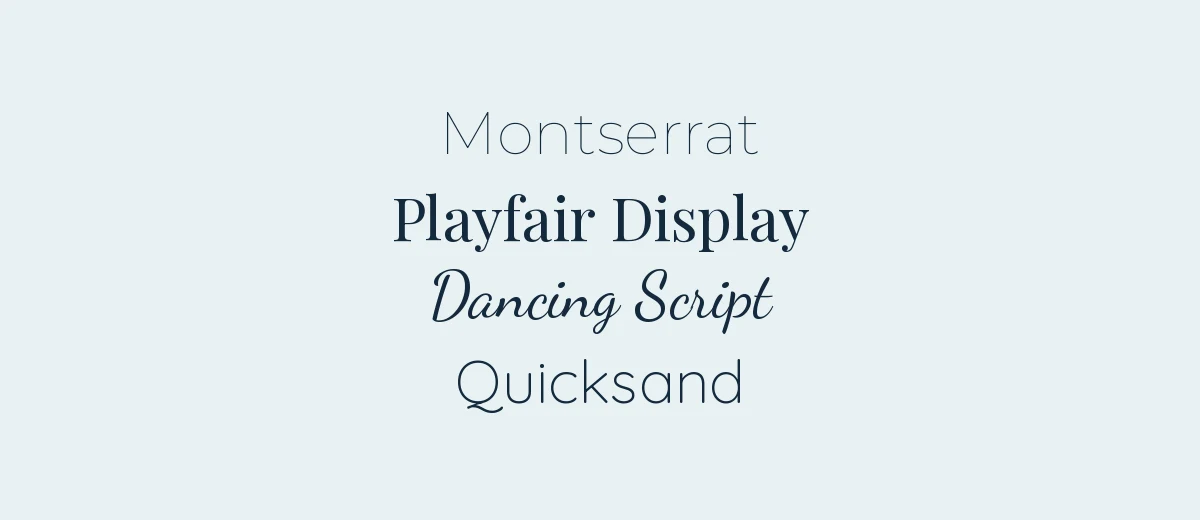
These are families available on Google Fonts under open licenses at the time of writing. Verify the license on each family’s page, since terms can differ from one family to the next.
| Family | Style | Good for |
|---|---|---|
| Montserrat | Geometric sans | Headings, posters, brand work |
| Poppins | Geometric sans, many weights | Apps, slides, social graphics |
| Inter | Neutral, screen-friendly sans | Interfaces and body text |
| DM Sans | Low-contrast geometric sans | Clean modern layouts |
| Lora | Contemporary serif | Long reading, blogs |
| Playfair Display | High-contrast serif | Editorial titles, invitations |
| Cormorant Garamond | Elegant display serif | Luxury and wedding styling |
| Dancing Script | Casual connected script | Signatures, short headings |
To see more by style, our serif fonts, script fonts and handwritten fonts collections are good starting points. For a wider catalogue, see our free fonts section, and look at the license listed with each download.
How to get and install a free font
- Open the family page on Google Fonts and choose Get font, then Download all (the button labels may change). You receive a zip file.
- Unzip it. Many families include both static weights and a variable font file.
- Windows: right-click a .ttf or .otf file and choose Install, or Install for all users. Mac: double-click the file and choose Install Font in the preview window.
- Restart the app you want to use, such as Word or Photoshop, so it reads the new font.
- For Canva, upload the file instead of installing it. Our guide to uploading a font to Canva has the steps. Uploading to Canva may require a paid plan, so check the current Canva requirements.
If you only need the font on a website, you do not have to download anything: Google Fonts can serve the family from a link, described in the Google Fonts getting-started guide.
Copying a font from a website or an image
Seeing a font you like does not mean you can take it. You can copy the name, but the font file is the owner’s property and its license decides what you can do with it. To work out which font a page or image uses, read our guide to finding a font from an image. Once you have the name, search for it and see whether a free open-license version or a close match exists.
A quick check before you commit
- Can you use it commercially, and in what formats (print, web, app, logo)?
- Is the license text in the download, or on a page you can find again later?
- Does it include the characters you need, such as accents or symbols?
- Did you save a copy of the license with the font file?
Frequently asked questions
Are copy and paste fonts really free?
Yes. They are Unicode characters, so converting and pasting them costs nothing and needs no font license. Some converter sites add ads or paid extras, but the characters themselves are free to use.
Is it legal to use copy and paste fonts commercially?
The characters are part of the Unicode standard rather than a licensed font file, so no font license applies to them. For anything important, such as a brand, use a real font with a clear license instead, since styled text is hard to search and read.
What is the difference between a font and copy and paste text?
A font is a file that changes how normal letters look. Copy and paste text swaps each letter for a different Unicode character that looks like a styled letter. The second works anywhere text does, but cannot be changed with a font menu.
Where can I find free fonts for commercial use?
Google Fonts is the best-known source, with open-licensed families such as Montserrat, Lora and Poppins. Always confirm the license on the family page or in the download before using a font in a logo or product.