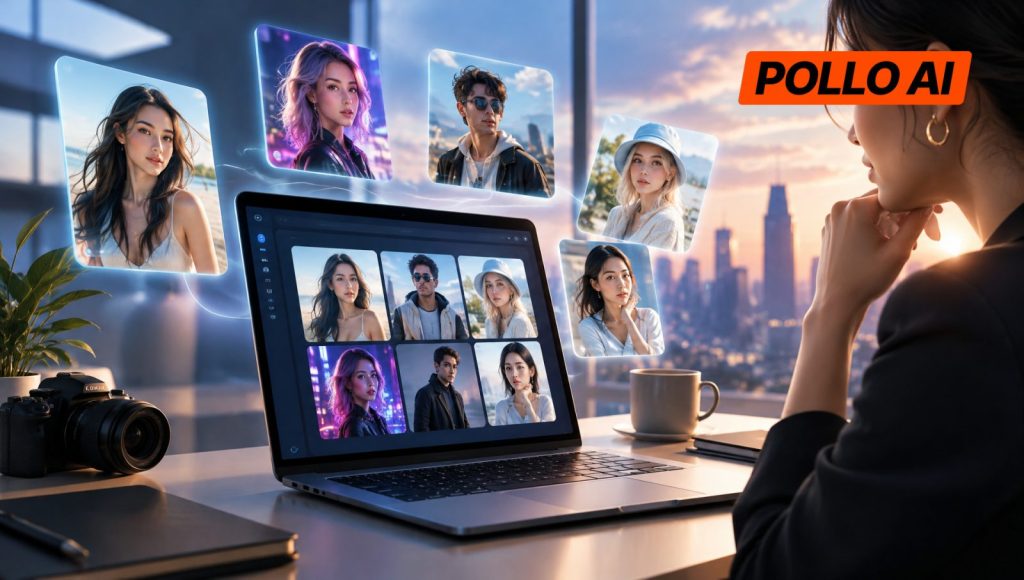
Creating an AI influencer is one thing; keeping the same character recognizable across dozens of posts is another. Creators need tools that can handle more than attractive portraits, from outfit changes and lifestyle photos to talking videos and product promotions. This guide compares seven AI influencer generators and what each one can actually do.
Which AI Influencer Generators Are Worth Trying in 2026?
1. Pollo AI Influencer – Best for Building Reusable Virtual Influencers
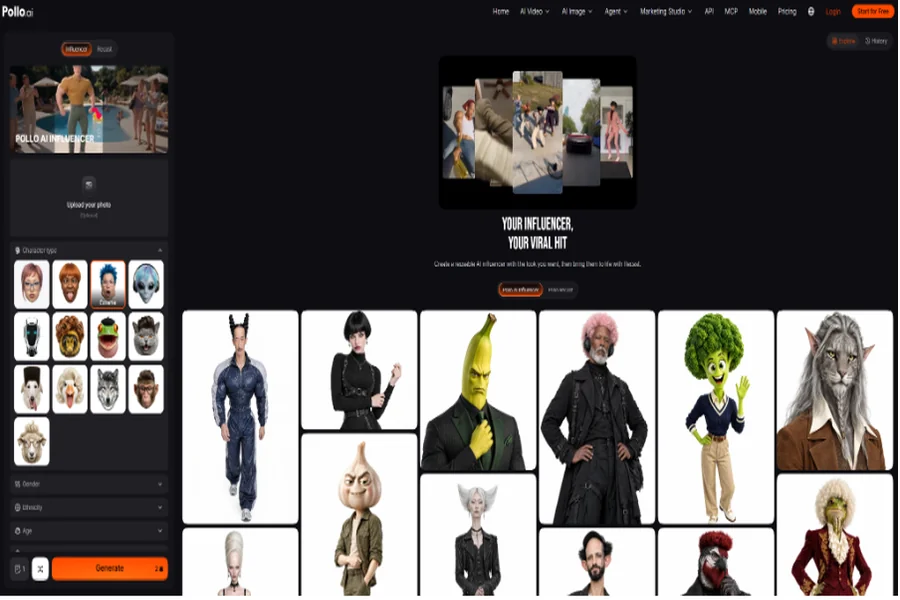
Pollo AI Influencer is a character creation tool for anyone who wants to build a virtual personality and use it across different types of content. Rather than relying on long text prompts, it offers 19 visual customization categories covering features such as age, ethnicity, facial structure, hairstyle, and overall appearance. Users can also upload a reference photo to guide the character’s look.
Each generation produces a 2K character sheet that can be saved and reused. Creators can revisit their settings, make new outfits and looks, and bring the same character into other image and video workflows. Through Pollo Recast, they can also apply trending movements or upload a 4–30-second reference video for their influencer to follow. For someone building a fashion or lifestyle account, this means one character can appear in different outfits, locations, and short-form videos without starting from scratch every time.
Pros:
- No advanced prompting or character model training required.
- Community templates offer a quick starting point.
- Saved characters can be reused in supported Pollo AI workflows.
Cons:
- Facial details can still vary between generations, so outputs need checking.
- Motion-based videos may need some post-production work.
Best for: Creators and brands building a recurring virtual influencer for Instagram, TikTok, and other social platforms.
2. SoulGen – Best for Realistic and Anime AI Characters
SoulGen focuses on AI-generated characters, with options for Real Character, DreamTwin, and Anime Character creation. Users can describe the appearance they want, work from a reference image, and refine the result with its image editing tools. Outpainting is also available when a portrait needs a wider background or additional visual elements.
SoulGen goes beyond static character images with text-to-video and image-to-video generation. Its video tools support natural movement, generated sound, and talking characters with lip-sync. This gives creators room to develop a character’s appearance first and then turn selected images into animated clips. For example, an anime creator can build a recognizable character and use it in both illustrated social posts and short animated videos.
Pros:
- Covers both photorealistic and anime-style character creation.
- Built-in editing tools help refine or extend existing images.
- Supports video creation with audio and lip-sync.
Cons:
- Less focused on managing a recurring influencer’s content library.
- Character consistency across separate scenes still needs attention.
Best for: Creators who want realistic virtual personalities, anime characters, or a mix of still images and animated content.
3. Higgsfield – Best for Motion-Driven AI Influencer Videos
Higgsfield’s AI Influencer Studio is geared toward creators who want to put virtual characters into videos, not just generate profile pictures. Its character builder uses visual settings to customize appearance, with an optional reference photo to guide facial features. Once the character is ready, the Genjutsu Motion workflow can transfer movements from an existing video.
This is handy for creators who want their virtual influencer to participate in a trending dance, gesture, or social media challenge. Rather than animating every movement manually, they can upload a reference clip and let the character follow its performance. The Objects Swap feature also allows elements such as outfits, products, or props to be replaced in existing footage.
Pros:
- Menu-based character creation keeps the setup straightforward.
- Trending motion formats provide ideas for short-form content.
- Characters can be saved and brought into other Higgsfield workflows.
Cons:
- Motion transfer works best with suitable reference footage.
- Complex movements can still produce visual inconsistencies.
Best for: TikTok and Reels creators who want to make dance videos, trend-based clips, and other movement-heavy content.
4. Picsart – Best for Recurring Characters and Visual Storytelling
Picsart’s AI Influencer generator is part of its Storyspace creative workspace. Users can build a character by adjusting features such as facial appearance, hairstyle, body type, clothing, and accessories, or start with a reference photo.
One particularly useful feature is its four-view character sheet, which includes front, side, and back views plus a close-up. These references give creators more visual information to work with when generating new scenes. Characters can be reused in Storyspace, while Recast lets users place them into existing video clips. For creators working on a recurring character series, this makes it easier to develop different scenes without treating every post as a completely separate project.
Pros:
- Supports human, animal, alien, and monster characters.
- Character sheets provide more reference angles than a single portrait.
- Storyspace keeps character assets and video experiments together.
Cons:
- AI generation uses credits.
- Faces and smaller details can drift in Recast results.
Best for: Creators developing recurring virtual characters, social media series, and visual stories.
5. HeyGen – Best for Talking Virtual Influencers
HeyGen takes a different approach to AI influencer creation. Its main focus is talking avatars and digital presenters rather than generating lifestyle photos. Users can choose from a large library of stock avatars, turn a single photo into a talking character, or create a personal avatar from recorded footage.
Once the avatar is ready, a script can be turned into a video with synchronized speech, expressions, and gestures. HeyGen also supports voice customization and video translation into more than 177 languages and dialects. For example, a brand can use the same virtual spokesperson to introduce a product to English-, Japanese-, and Spanish-speaking audiences without arranging separate shoots.
Pros:
- More than 1,100 stock avatars are available.
- Supports a wide range of languages and voice options.
- Script-to-video tools reduce the work involved in producing presenter content.
Cons:
- Better suited to talking-head videos than lifestyle influencer feeds.
- Custom avatars based on real people require appropriate permission.
Best for: Businesses and creators who need virtual presenters for product explainers, educational videos, and multilingual campaigns.
6. Creatify – Best for E-commerce AI Influencer Ads
Creatify is an AI video advertising platform with custom avatar creation tools. Users can create branded avatars from text prompts, images, or recorded videos, then use them as presenters in promotional content.
Its URL-to-Video feature is especially useful for online sellers. By providing a product page, users can let the platform analyze product information and generate a video ad around it. A skincare store, for instance, can turn a product listing into a UGC-style promotional video featuring a virtual presenter instead of organizing a new shoot. This is a more practical fit for businesses testing different ad concepts than for creators building a character-led lifestyle account.
Pros:
- Supports several ways to create custom avatars.
- Can work with product URLs or manually uploaded assets.
- Video editing and bulk creation tools help with campaign variations.
Cons:
- The workflow is geared toward advertising rather than everyday influencer content.
- Custom avatar creation may involve additional processing and plan requirements.
Best for: E-commerce sellers and marketing teams producing product demonstrations, UGC-style ads, and promotional videos.
7. Fotor – Best for Quick AI Influencer Videos
Fotor’s AI Influencer Generator is aimed at users who want to turn an idea or an existing image into a virtual influencer video without a complicated setup. Users can enter a text prompt or upload a character image, choose the video settings, and enable audio generation. The tool then creates a clip with character movement and synchronized speech.
It supports several visual directions, including realistic, cinematic, anime, and cartoon styles. This makes it useful for someone who wants to experiment with different virtual personalities or create a quick talking clip for social media. Fotor also has separate AI image tools for preparing character portraits, although its dedicated influencer workflow puts more emphasis on video generation.
Pros:
- Works with both text prompts and uploaded images.
- Automatic audio generation removes the need to record a separate voiceover.
- Multiple visual styles suit different types of social content.
Cons:
- Less emphasis on saving and managing a consistent character identity.
- Results may need additional editing before publication.
Best for: Beginners and casual creators who want a simple way to make AI influencer videos.
Which AI Influencer Generator Should Beginners Choose?
For beginners, the best choice depends on what they plan to publish. Pollo AI Influencer is a good starting point for anyone who wants to build a reusable virtual personality without learning complicated prompting. SoulGen is better suited to realistic and anime character creation, while Fotor is a straightforward option for quick video experiments.
The other tools have more specific strengths. Higgsfield is worth considering for motion-based social content, Picsart for recurring character stories, HeyGen for talking presenters, and Creatify for product advertising.
If only one platform is needed, Pollo AI is the most well-rounded choice for creators who want to develop a virtual character and use it across images and short-form videos. Its guided customization, saved character assets, and Recast workflow cover more of the typical influencer content process than a tool focused on just one output.
Conclusion
There is no need to build an elaborate virtual personality if the goal is only to make a few talking videos. Likewise, a basic portrait generator may not be enough for someone planning to publish regular content with the same character.
The important thing is to choose a tool that fits the content schedule and the level of consistency required. For creators who want to build a character they can reuse across different formats, Pollo AI Influencer is a practical place to start.
Once the character is ready, creators who need it to deliver scripts or product messages can also try Pollo AI Avatar. It turns a single photo into a talking video using text or uploaded audio, with synchronized lip movements, facial expressions, and gestures. This is particularly useful for product explainers, social media announcements, and virtual spokesperson videos.
FAQs
1. What is an AI influencer generator?
An AI influencer generator is a tool that creates virtual personalities using artificial intelligence. Depending on the platform, users can generate character images, customize appearances, reuse character references, and create videos featuring their virtual influencers.
2. How can creators keep an AI influencer’s appearance consistent?
The easiest approach is to save a reference image or character sheet and reuse it when generating new content. Some tools, including Pollo AI Influencer, Higgsfield, and Picsart, offer dedicated character reuse workflows. Even then, facial features, outfits, and other details should be checked before publishing.
3. Can an AI influencer generator create videos?
Yes. Many platforms support image-to-video or text-to-video generation. Some also offer motion transfer, talking avatars, and lip-sync. The available options depend on the tool, so creators should check whether they need simple animation, trend-based movement, or a presenter who can deliver a script.
4. Can AI-generated influencers be used for commercial purposes?
Commercial use depends on the platform’s licensing terms, subscription plan, and the rights associated with the generated content. Businesses should also make sure they have permission to use any reference photos, voices, or likenesses belonging to real people. Where required, AI-generated or sponsored content should be disclosed appropriately.