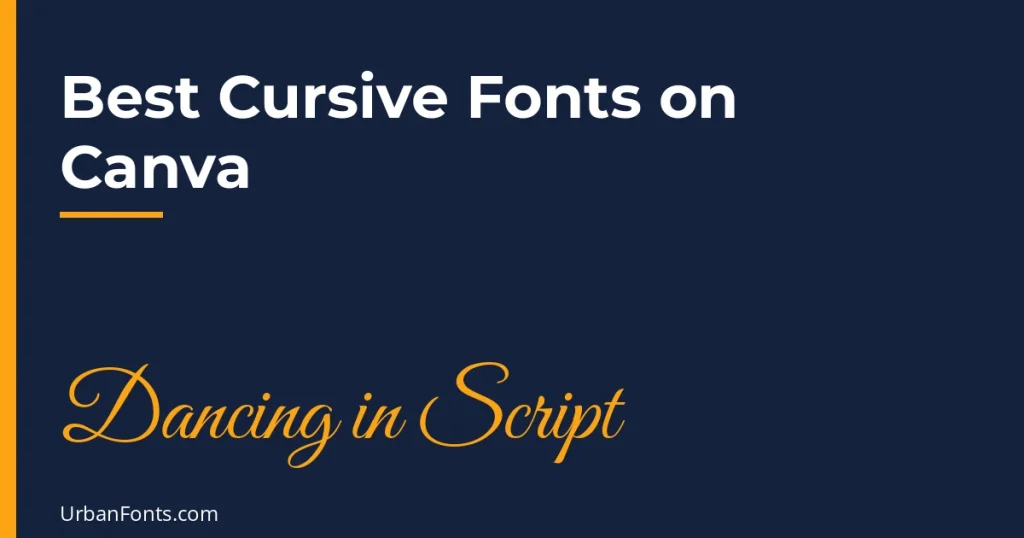
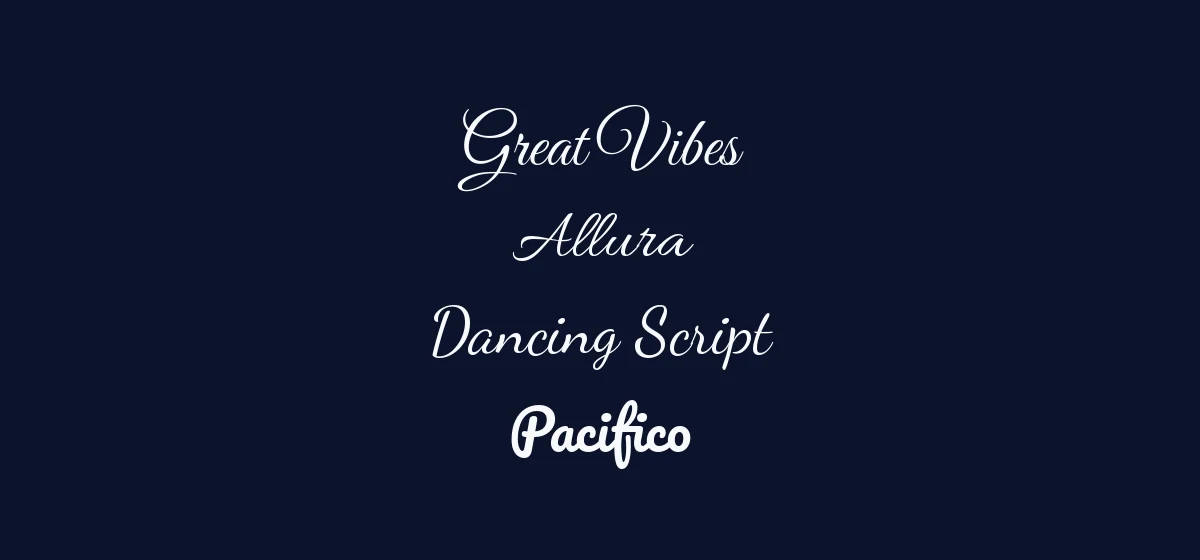
The best cursive fonts on Canva include Dancing Script, Pacifico, Great Vibes, Allura and Satisfy, all of which are based on open-licensed Google Fonts families and are widely reported to be in Canva’s font library. Canva’s library changes over time, though, so search for each name in the font menu of your own account before you plan a design around it. This guide covers what each one looks like, which projects it suits, and how to keep script text readable.
How to find cursive fonts in Canva
- Open a design and click a text box, or add one from Text in the left sidebar.
- Click the font name in the top toolbar to open the font panel.
- Type a font name such as “Great Vibes” into the search box. You can also try general words like “script” or “handwriting”, though results depend on how Canva currently categorizes its fonts.
- Click a result to apply it to the selected text.
Menu labels and layout shift as Canva updates its interface, so look for the nearest equivalent. If a font you want does not appear, it may have been removed or renamed, or reserved for a different plan. In that case, you can upload your own font to Canva, which generally requires a paid plan.
Comparison of cursive fonts on Canva
| Font | Look | Open-source origin | Suits |
|---|---|---|---|
| Dancing Script | Lively, bouncy, informal script | Google Fonts, OFL | Social posts, recipes, friendly branding |
| Pacifico | Bold, rounded, retro brush script | Google Fonts, OFL | Cafes, summer promos, casual logos |
| Great Vibes | Formal, flowing calligraphy with loops | Google Fonts, OFL | Wedding invitations, certificates, names |
| Allura | Smooth, upright formal script | Google Fonts, OFL | Invitations, signatures, beauty brands |
| Satisfy | Relaxed, flowing signature-style script | Google Fonts, OFL | Quotes, lifestyle blogs, personal brands |
| Lobster | Heavy, connected retro script | Google Fonts, OFL | Posters, signage, bold titles |
| Sacramento | Thin, monoline, casual script | Google Fonts, OFL | Minimal quotes, boutique labels, overlays |
The “open-source origin” column is about where each typeface comes from. Inside Canva, you use the fonts under Canva’s own terms and its content license, which may differ from the original license. For use outside Canva, such as downloading the fonts yourself, check the license on the family’s Google Fonts page, for example Dancing Script or Great Vibes.
Canva-focused guides often also mention Parisienne and Alex Brush as formal scripts, but we have not confirmed that either is available in your account. Search for them by name.
Each font in more detail
Dancing Script
Dancing Script has an upright, bouncy rhythm and capitals that drop below the baseline. It stays legible at smaller sizes, which makes it one of the easiest scripts to use. It looks friendly, not formal, so it suits blog graphics, recipe cards and social posts.
Pacifico
Pacifico is heavy and rounded, with a surf-culture, mid-century feel. It reads well at a distance and works for short phrases such as a shop name or promotion. Because the strokes are thick, it does not look refined, so avoid it for anything formal.
Great Vibes
Great Vibes is a formal calligraphy-style script with long, looped letters and elaborate capitals. It suits names on wedding stationery, certificates and invitations. It needs a large size to avoid the thin connecting strokes disappearing.
Allura
Allura is less flamboyant than Great Vibes. Its letters are smooth and fairly upright, with graceful capitals. It is a good middle ground for beauty brands, signatures and wedding stationery that should feel elegant but still clear.
Satisfy
Satisfy is a relaxed signature-style script with a slight slope. It is casual yet polished, and it works for quotes and short headings on lifestyle content.
Keeping cursive text readable
- Never set script in all caps. Script capitals were designed to start words, not to be lined up, and they become hard to read.
- Leave letter spacing alone. In Canva’s Spacing controls, adding extra letter spacing can break the connections between letters. Keep it at the default or close to it.
- Use it for short text. Names, titles and one-line quotes. Use a plain sans serif for body copy.
- Make it larger than you think. Script fonts often have small lowercase letters, so they look smaller than other fonts at the same size.
- Keep strong contrast. Thin scripts on busy photographs vanish. Put text on a solid area, or add a subtle background.
- Be careful with effects. A little shadow or the curve effect can look good. Heavy outlines and glow on a thin script often reduce legibility.
Pairing script fonts in Canva
One script and one plain font is almost always the best formula. Use the script for the name or title and a clean sans for the details. Good partners are Montserrat, Lato or Open Sans, which are all widely available in Canva. For a wedding invitation, a formal script such as Great Vibes pairs with a light serif for details. For a casual cafe menu, Pacifico works with a simple sans. Avoid pairing two scripts, which looks messy. Our script fonts and calligraphy fonts pages have more options if you plan to upload a font.
A word about copy-and-paste “cursive” text
Online generators, like our cursive font copy and paste tool, produce Unicode characters that look like script, not real fonts. They can work in a bio or a post, but in Canva they may show as empty boxes or mismatched letters, they cannot be adjusted like a font, and screen readers may read them poorly. For a design, use a real font from the font panel instead.
Example: a simple invitation in two fonts
- Choose an invitation template or start with a blank portrait page.
- Add the guest or event name as a text box and set it in Great Vibes at a large size. Try 60 to 90 points as a starting point and adjust to fit.
- Add the date, time and place in a separate text box in a plain sans such as Montserrat, in small capitals or regular case at a modest size.
- Give the lines room. A generous gap between the script name and the details makes the page feel calmer.
- Check the result at actual print size or on a phone screen. If the script looks thin, increase its size or switch to a sturdier script such as Allura.
Free plan or paid plan?
Canva offers a mix of free and paid content, and which fonts are available on which plan can change. If you are on the free plan and a script font is not available, pick a similar one that is: the formal options (Great Vibes, Allura) are interchangeable in most invitation layouts, and the casual ones (Dancing Script, Satisfy) can substitute for each other. If you often need a specific script, a paid plan with Brand Kit uploads lets you add your own, as long as the license allows it. Read about uploading fonts to Canva to see the limits.
Which cursive font should you choose?
- Wedding and formal stationery: Great Vibes or Allura.
- Social posts and recipe cards: Dancing Script.
- Retro cafe or summer promo: Pacifico or Lobster.
- Quotes and personal branding: Satisfy.
- Minimal boutique labels: Sacramento.
Frequently asked questions
What are the best cursive fonts on Canva?
Dancing Script, Pacifico, Great Vibes, Allura and Satisfy are popular choices. Canva’s library changes, so search for each name in the font panel before relying on it.
Are cursive fonts on Canva free?
Many fonts in Canva’s library are available on the free plan, but some content and features are reserved for paid plans, and this changes. If a font shows a paid marker or is missing, check your plan on Canva’s site.
How do I find script fonts in Canva?
Select a text box, open the font panel in the top toolbar and search by font name. You can also search for a word like script or handwriting, although results depend on how Canva currently organizes the library.
Can I upload my own cursive font to Canva?
Yes, on plans that include Brand Kit font uploads, which are generally paid. Make sure the font’s license allows your use before you upload.