Luxury has changed its accent. Where it once shouted with logos, gold trim, and dramatic staging, it now speaks softly: a perfect cashmere weave, a hand resting on a travertine counter, a room so calm you can almost hear it. Capturing that restraint through traditional production takes expensive sets and endless reshoots.
The best AI image generator workflow lets a brand explore the look before anyone books a studio. Dreamina, with its advanced image generation models, is well suited to this understated aesthetic. Here is how to build a quiet luxury campaign look.
What quiet luxury actually looks like
The aesthetic is defined by what is missing. No loud branding, no clutter, no theatrical props. Instead, you get impeccable materials, generous empty space and a palette that stays within a few muted tones. If an element does not earn its place, it leaves the frame.
A palette that whispers
Colour carries most of the mood. Stick to a narrow family and let texture provide the interest:
- Oat, ivory and stone for warmth
- Charcoal and espresso for depth
- A single soft accent, such as sage or dusty clay
Texture as the real luxury signal
Without ornament, material has to do the talking. Brushed linen, heavy cotton, matte ceramic, honed stone and aged leather all photograph beautifully in soft light. Describe the surface qualities directly, “slightly nubby wool,” “honed limestone,” so the image reads as tactile rather than merely tidy.
Negative space as a design choice
Emptiness is expensive. Leaving a third of the frame calm gives the product room to breathe and signals confidence. It also leaves a clean area for a campaign line or logo later, which suits both print and digital layouts.
Light that flatters without drama
Hard flash and heavy shadows feel loud. Aim for diffused daylight with a gentle gradient, the kind you get from a large north-facing window. Phrases such as “soft diffused light, no harsh shadows” protect the hushed mood.
Models and styling that stay understated
If people appear, they should feel unposed and composed, hands, profiles, a turned shoulder, rather than direct-to-camera glamour. Cropping out faces entirely is a common luxury move, shifting attention to fabric, gesture and silhouette.
Dreamina’s image models for refined results
Seedream 5.5, Dreamina’s latest and most capable model, is a strong fit because quiet luxury punishes small errors. Its 2K output keeps fine weave and stone grain crisp, while multi-layer visual control separates product, surface and background so you can nudge one without disturbing the others. Pinpoint precision editing lets you smooth a single crease or reflection, and built-in online research can ground references to real material trends.
Nano Banana adds speed when you want to explore a dozen palette variations in minutes, and GPT Image 2.5 offers another interpretive voice, helpful for comparing how a mood board translates. Switching between them inside Dreamina keeps the creative direction in one place.
Your 3-step quiet luxury build with Dreamina
Step 1: Write a detailed text prompt
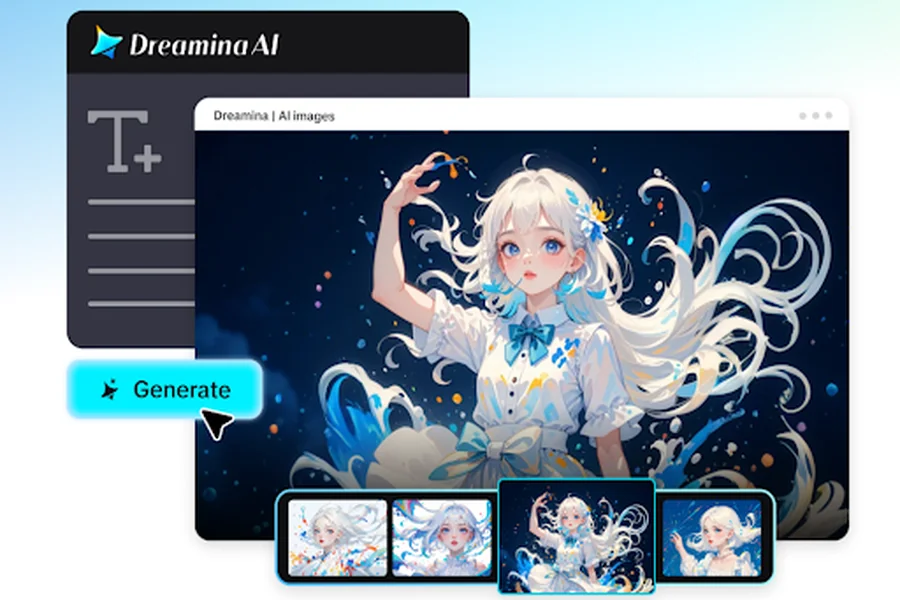
Navigate to Dreamina and write a detailed text prompt covering the product, the surface, the palette, and the light. You can also add a reference image of an existing product or mood board for closer fidelity.
Example: A pair of tan leather loafers on a honed limestone step, a linen jacket draped nearby, muted oat and stone palette, soft diffused window light, generous negative space on the right, quiet luxury campaign photography.
Naming the negative space and the muted palette together is what protects the understated feel.
Step 2: Adjust parameters and create
Choose your model, Image 5.5 by Seedream 5.5, then set the aspect ratio, size, and resolution. Pick 1K for quick concept rounds and 2K for the version that needs to show texture. Then click Dreamina’s icon to generate.
Step 3: Customize and save
Refine the result with Dreamina’s AI customization options. Use inpaint to correct a stitch or reflection, expand to add more calm space around the product, remove to take out any stray object, and retouch to balance tone. When the frame feels quiet and confident, click the Download icon to save it.
Building a campaign that stays coherent
A single image is a mood; a campaign is a system. Lock a palette, a lighting phrase, and a composition rule, then vary the product or surface. Reviewing frames together reveals any that feel louder than the rest, and those are the ones to regenerate.
Where the aesthetic pays off
Quiet luxury is useful across several channels:
- Seasonal lookbooks and e-commerce hero banners
- Packaging and unboxing concept art
- Editorial-style social posts
- Investor and brand-strategy presentations
Final thoughts
Restraint is the most persuasive thing a luxury brand can show. With the best AI image generator approach, built on Dreamina and its advanced models, Seedream 5.5, Nano Banana and GPT Image 2.5, you can explore palettes, textures and compositions long before production begins.
Keep the palette narrow, let material lead, protect the empty space, and let Dreamina help your campaign speak softly and be heard.