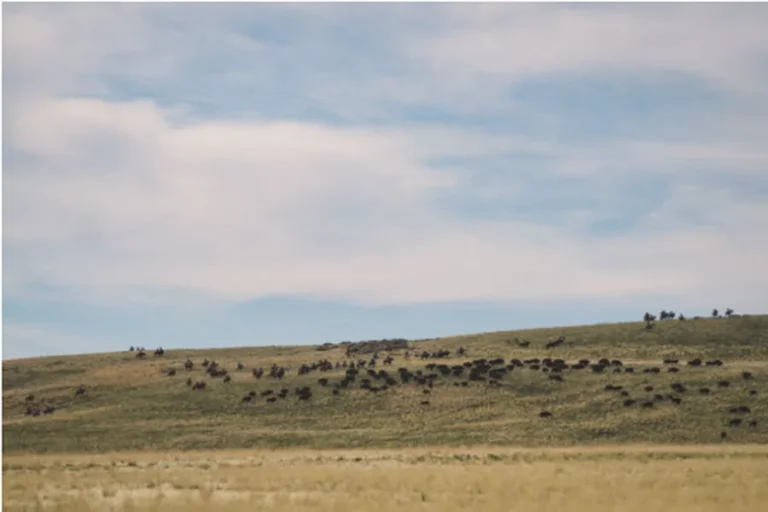
A folder of travel photographs often contains more atmosphere than a conventional slideshow can convey. You remember the wind on the trail, the quiet before breakfast, or the way light moved across a lake. The photographs record the places, but your memory supplies the movement between them.
Animating a still image can give that memory a small visual expression. It does not recreate a recording of what happened, and it does not need to. A carefully directed clip can work as an imaginative companion to the photograph: a gentle change in perspective, a little movement in the landscape, or a pause that invites someone to look longer.
The creative challenge is choosing what to move and what to leave alone. With a restrained approach, a handful of pictures can become a short visual story rather than a collection of unrelated effects.
Find the moment your story is about
Start by choosing a feeling or observation, not by selecting every good photograph from the trip. Perhaps the story is about the first view after a difficult climb. Perhaps it is the contrast between a crowded station and an empty coastal path. That idea will help you decide which pictures belong together.
For an initial experiment, select three images with different storytelling roles. One establishes the location, another draws attention to a person or detail, and the final image provides a sense of arrival. They do not have to come from the same minute, but they should make sense when shown in that order.
Tools that turn photos into videos can help you explore motion within each image. insMind’s image-to-video page accepts a photograph and a description of the movement you want. Begin with one photograph before planning the entire sequence.
Let the photograph set the limits
A wide landscape gives you room to direct attention toward a distant subject. A portrait may support only a slight head movement or a subtle camera approach. A crowded street photograph might already contain enough visual information without adding movement to every person.
Look at the edges of the image as well as its center. If a hand, face, or important landmark is partly outside the frame, a large camera move may make the missing information more noticeable. Choose motion that works with what the photograph actually shows.
Preserve the original file and work from a copy. Give the experiment a descriptive name, such as “lake-view-gentle-push,” so it remains easy to distinguish the photograph from its animated interpretation. That distinction is especially helpful when sharing personal memories with relatives or friends.
Describe a small event, not an entire movie
A strong motion prompt tells the system what changes during the shot. “Beautiful mountain holiday” describes a theme; “the camera slowly approaches the hikers while the lake ripples gently” describes an event.
For a lakeside photograph, you might try:
Two adult hikers stand beside a mountain lake. A light breeze moves their jackets slightly while small ripples cross the water. The camera moves slowly forward. Keep the people’s appearance and the mountain shapes consistent with the source photograph.
Use the result to discover whether the idea suits the image. If it feels artificial, reduce the movement or concentrate on the environment. A living memory does not need a dramatic gesture to feel meaningful.
You can also write down what should remain still. An old building, a distinctive hat, or a familiar facial expression may be the reason you chose the photograph. Protecting those details matters more than making every part of the frame animate.
Follow a simple image-to-video process
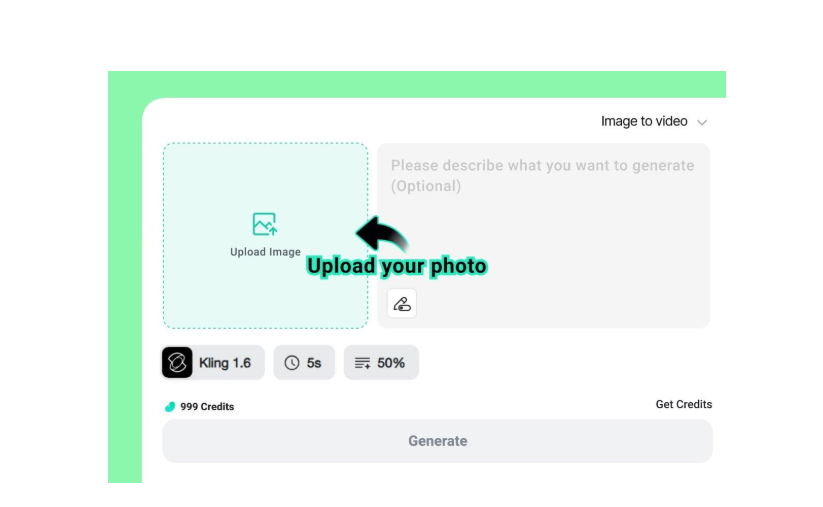
Upload the photograph
Choose a clear image with one obvious focus. Open the image-to-video page and upload it. Check that the composition still supports the part of the scene you want viewers to notice.
Add the motion description
Write a brief instruction describing the subject’s action, the camera movement, and the mood. Use the available settings that suit your intended presentation rather than assuming every model offers the same controls.
Watch for changes you did not request
Preview the full result. Check faces, clothing, architecture, and other recognizable details, not just the motion itself. If a familiar place changes shape or a person becomes less recognizable, revise the prompt or start from another photograph.
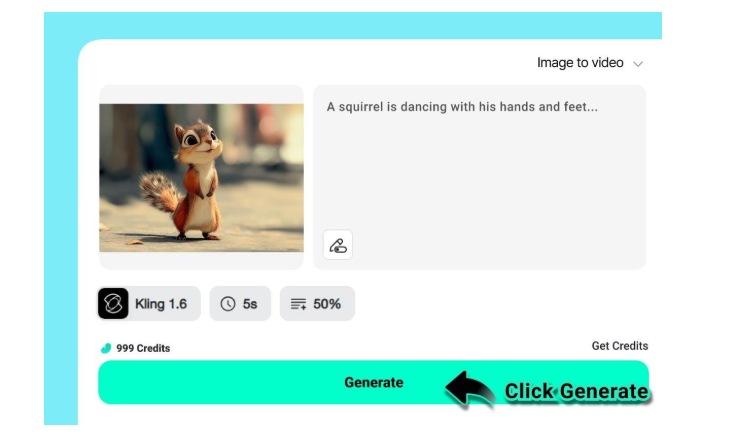
Keep the version that serves the story
Download a result only after reviewing it. A quiet, convincing clip may fit your story better than a more elaborate version. Save enough context with the file that you can remember which original image and brief produced it.
Connect the pictures with meaning
When you arrange the clips, think about what changes between them. A wide view followed by a close detail can help a viewer understand scale. A busy scene followed by a quiet one can communicate relief. Repeating similar camera movements across every picture can make the sequence feel mechanical.
A missing transition does not always require another animated photograph. Sometimes a short written line is enough. If you want an imaginative connecting scene, you could generate video from text, while keeping it clearly separate from the actual locations and events in your photographs.
For a larger project, such as a narrated account of a journey, you may want to use an AI long video generator to build a narrated travel story. Prepare the story’s structure first. More running time should give an idea room to develop, rather than simply extending a sequence that has already made its point.
Keep the memory recognizable
A useful final review asks two questions: does the sequence feel coherent, and do the images still feel like yours? Ask someone who knows the trip to watch it. Their reaction may reveal a changed detail that you overlooked while concentrating on the movement.
If you are combining animations with existing camera clips, you can explore whether an AI video enhancer for older footage helps. Keep the untouched originals, and compare the treatment with the atmosphere you want to preserve. Technical polish should not erase the character of the memory.
You do not need to animate an entire archive. Start with one photograph that contains a clear feeling. Give it a little movement, add a second image only when it adds meaning, and stop when the story feels complete. The best result may be a few thoughtful moments that make an ordinary folder of photographs worth opening again.