Ideas for mobile products used to die in the gap between a sketch and a developer’s calendar. Today, small teams and solo founders can build app without coding and have a working prototype in their hands within days instead of months. This shift is changing who gets to make software, and it is worth understanding what the approach can and cannot do before you commit your time or budget.
What “no-code” really means for mobile apps
A no-code builder replaces hand-written source code with visual blocks: screens, buttons, lists, forms, and data connections that you arrange on a canvas. Behind the scenes the platform turns those choices into a real application. You decide what the app should do, and the tool handles the plumbing, such as layout rules for different screen sizes, navigation between pages, and basic data storage.
Newer platforms add AI on top of this model. Instead of dragging every component yourself, you describe the goal in plain language and get a starting structure that you can then refine. This shortens the most intimidating stage, the blank page, and lets you spend your energy on the parts that make your idea different.
Who benefits most
- Small businesses that want a booking, loyalty, or ordering app without hiring an agency.
- Founders validating an idea who need a clickable product to show to early users and investors.
- Teams inside larger companies that need an internal tool, such as an inventory checker or a field-visit form, and cannot wait in the IT queue.
- Creators and educators who want a branded app for a community, a course, or an event.
A practical path from idea to first release
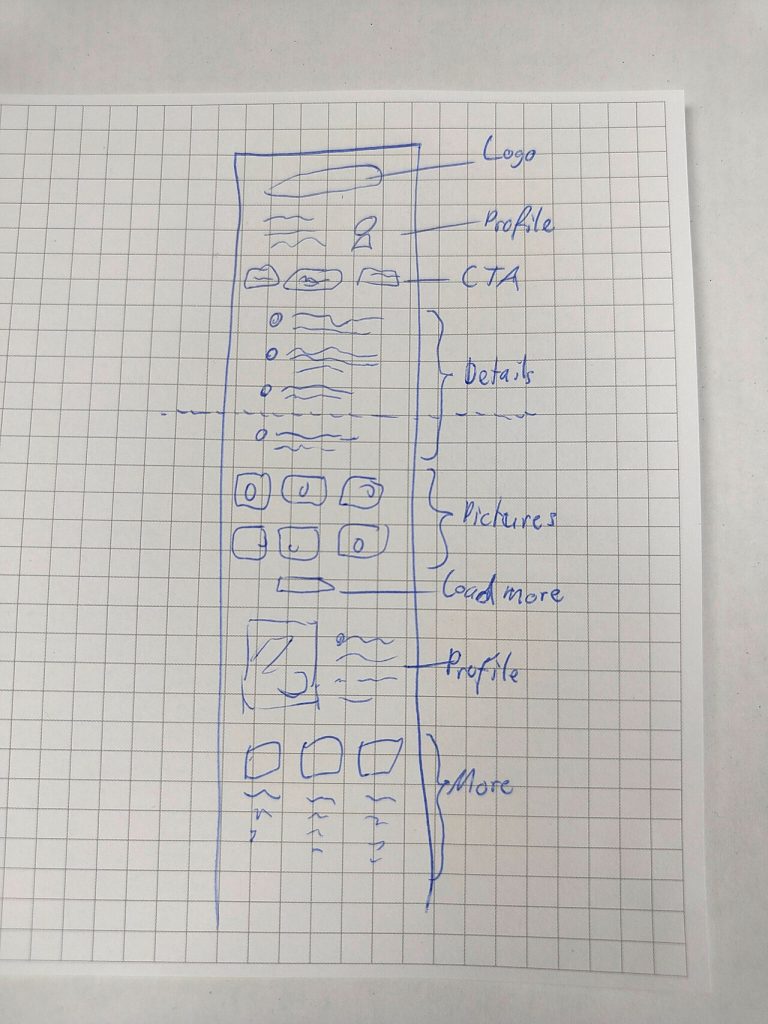
Start with one problem, not a feature list. Write down the single task a user should complete in the first minute, then sketch the three or four screens needed to get there. Paper is fine; many good products begin as a rough drawing on a desk.
Next, build the smallest working version. Keep the navigation shallow, use clear labels, and connect only the data you truly need. Test it on a real phone as early as possible, because spacing, tap targets, and text size feel very different on a device than on a monitor.
Then put the app in front of five to ten people who match your audience. Watch where they hesitate. Every pause is a note for the next revision. Because visual builders let you change a screen in minutes, you can run several short feedback cycles in the time a traditional project would still be in planning.
Limits worth knowing before you start
Visual tools are excellent for common patterns, but highly specialized features, such as unusual hardware integrations or heavy real-time processing, may still call for custom development. It also pays to check how a platform handles exports, data ownership, performance on older phones, and store requirements for publishing. A short trial project is the best way to learn whether a tool fits your needs.
Design habits that make a simple app feel professional
Consistency matters more than decoration. Choose one font pair, a small color palette, and a single style for buttons, and reuse them everywhere. Leave generous white space, keep text short, and make the main action obvious on every screen. Finally, add helpful empty states and clear error messages; these small touches are what users remember when they decide whether to keep an app on their home screen.
No-code does not remove the need for good thinking about users, but it removes a large share of the technical barrier. For many ideas, that is the difference between a project that stays in a notebook and one that reaches real people.