Key Takeaways
-
Build the program around the questions guests need answered most.
-
Make schedules, locations, support details, and accessibility information easy to scan.
-
Use print and digital tools together, while keeping essential details available in the program itself.
-
Review the final program in the format guests will actually receive.
An event program is more than a keepsake. It is a practical guide that helps people arrive, orient themselves, make choices, and participate with confidence. Whether you are planning a conference, fundraiser, school ceremony, festival, or community gathering, a well-organized booklet, handout, or digital guide reduces avoidable confusion.
Format matters because it affects how guests use the information in real time. For events that need a compact printed reference, printivity.com/booklets/saddle-stitched-booklets can provide a familiar, easy-to-carry format for schedules, maps, speaker details, and contact information.
Why Event Programs Still Matter
Guests often need answers quickly: Where do I check in? What is happening now? Which room is this session in? Who can help if plans change? A program should answer those questions without requiring attendees to search through long announcements or ask staff for basic directions.
Think about the guest who arrives after the opening remarks. Within a few seconds, that person should be able to identify the current time block, find the room, and see what happens next. If the program cannot support that task, it likely needs a clearer structure.
Start With Guest Questions
Before choosing colors, images, or paper stock, list the questions attendees are most likely to ask. This keeps the program focused on useful information instead of decorative filler.
-
Where should guests park, enter, or check in?
-
What happens first, and when does each activity begin?
-
Where is each room, stage, table, or service area?
-
Who should guests contact for help or urgent questions?
-
What should attendees know about meals, transportation, and accessibility?
-
How will schedule changes be communicated?
Build a Simple Information Hierarchy
People scan event materials. Put the most time-sensitive, decision-making information first, then group related details together. A reliable order is:
-
Event name, date, venue, and arrival instructions.
-
Schedule at a glance.
-
Map, room guide, or directional notes.
-
Session, speaker, performer, or activity details.
-
Food, parking, transportation, and support information.
-
Post-event resources, surveys, or next steps.
Make the Schedule Easy to Scan
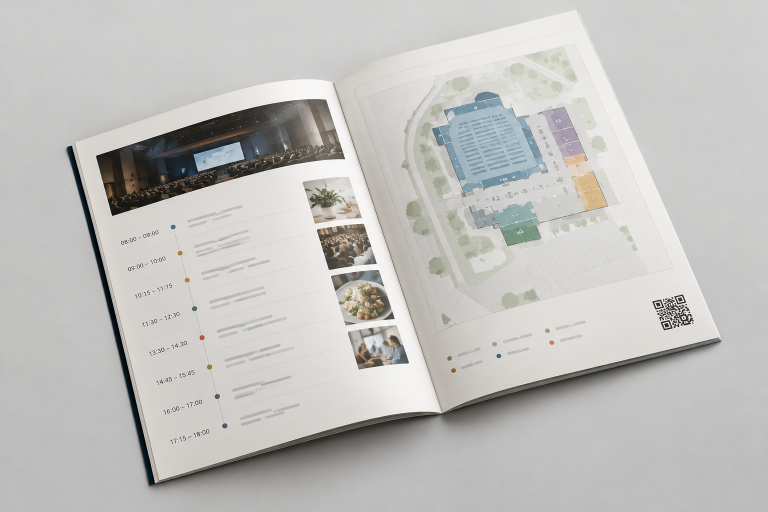
Use consistent time formatting, clear session titles, and room names beside every activity. Separate major blocks with spacing or visual rules, and clearly mark registration, breaks, meals, and closing activities. Short descriptions are usually more useful than dense paragraphs.
Check for common errors before production: overlapping sessions, inconsistent room names, omitted breaks, tiny type, and unclear instructions for simultaneous activities. Ask someone unfamiliar with the event to locate a specific session and room using the draft. Their experience can reveal gaps that planners may overlook.
Design for Access and Readability
Readable design benefits everyone. Use plain language, strong contrast, simple typefaces, meaningful headings, and enough spacing to keep sections distinct. Do not rely on color alone to show categories or changes, and pair icons with labels when an icon might be unclear.
Programs should also identify an accommodation or support contact and offer alternative formats when appropriate. Venue and event planning decisions should account for applicable accessibility obligations, including the ADA Standards for Accessible Design that apply to buildings and facilities.
Use Digital Support Without Making Print Useless
Digital tools can handle live updates, expanded biographies, surveys, menus, and resource libraries. Printed materials should still contain the essential schedule, location, and help information in case a guest has limited connectivity or does not use a smartphone.
Place a QR code beside a short explanation of what it opens, such as “Live schedule updates” or “Venue map.” A QR code is only helpful when attendees know its purpose and can scan it easily. Test every code on more than one device, leave clear space around it, and provide a short web address or staff contact as a backup.
Choose Content That Adds Value
Include details that help guests prepare, decide, move, or participate. Useful additions may include brief speaker biographies, session outcomes, meal and allergy notes, parking guidance, emergency contacts, sponsor acknowledgments, and a short list of follow-up actions.
Remove repeated slogans, lengthy biographies, vague directions, and decorative pages that make essential details harder to find. A program does not need to contain everything about the event. It needs to contain what guests need during the event.
Plan the Layout Around the Final Format
Page size, folding, binding, margins, maps, images, and paper choice all affect usability. Test the layout in the actual final format whenever possible. Check that page order still makes sense after folding, keep key text away from edges and fold lines, and confirm that maps and schedules remain legible at their printed size.
Use a Clear Review Process
-
Content review: Verify names, dates, times, addresses, phone numbers, and links.
-
Schedule review: Confirm rooms, transitions, breaks, and concurrent sessions.
-
Accessibility review: Check contrast, type size, plain language, and support details.
-
Layout review: Inspect page order, margins, image quality, and fold areas.
-
User test: Give the draft to someone who did not help plan the event.
-
Final proof: Review the approved file again before release or printing.
Common Mistakes to Avoid
-
Trying to fit too much information into too little space.
-
Using decorative fonts that slow reading.
-
Listing activities without locations.
-
Adding unexplained QR codes.
-
Hiding accessibility or support information.
-
Publishing an untested schedule.
-
Focusing on the cover while neglecting interior pages.
Event Program Checklist
-
Event name, date, venue, and arrival directions are correct.
-
Schedule labels, room names, and venue signage match.
-
Maps and tables are readable at the final size.
-
Accessibility details and support contacts are visible.
-
Digital links and QR codes have been tested.
-
The final file has been reviewed in its intended format.
-
A backup communication plan exists for changes.
Common Questions About Event Programs
What should an event program include?
Start with the schedule, locations, arrival instructions, support contacts, access information, and a map or room guide. Add speaker details and follow-up resources only when they serve a clear guest need.
Should an event use print, digital, or both?
The right choice depends on the audience, venue, event length, and likelihood of updates. A combined approach often gives guests a dependable physical reference alongside a flexible digital destination.
How early should the program be finalized?
Set an internal deadline that leaves time for proofreading, accessibility checks, user testing, production, and expected revisions. The more complex the schedule and format, the more review time it needs.
Conclusion
A strong event program does not need to be crowded or elaborate. It needs to be clear, readable, accurate, and tested. When every section is organized around guest needs, the program becomes a calm, useful guide that helps the event run more smoothly.