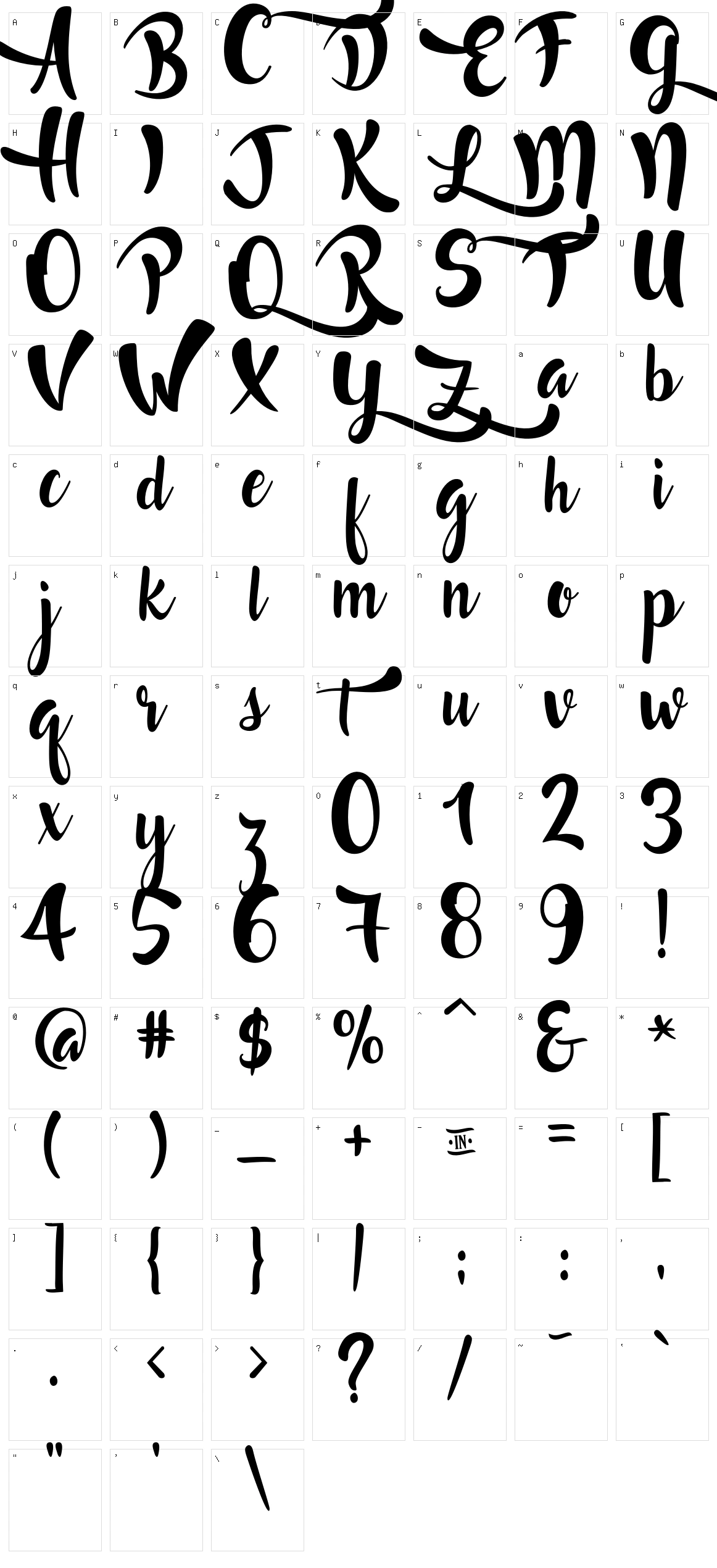
Lost in Wild

Designed by: Francis Studio
Category: Script
File size: 1688.97 kb
Description: The free font Lost in Wild is carefully designed by Francis Studio, showcasing a thoughtful balance of creativity and usability and falls under the Script font style. When you download the ZIP file, it contains only 1688.97 KB of font files, making it lightweight and quick to download. Please review the license details below to understand permitted usage and distribution rights. If license information is not available, we recommend using this font for personal projects only or contacting the author directly for commercial usage permissions.
License:
WAYS ON HOW TO ACCESS THE ALTERNATES
1. CHARACTER MAP [To those who don't have Microsoft Word and Adobe Illustrator/ Photoshop ]
Steps:
1. Search on your computer for character map.
2. Then select the "Lost and Wild" font.
3. Check the "advance view" button.
4. Go to "Group by" then select "Unicode Subrange".
5. In "Unicode Subrange", select the "Private Use Characters".
6. Click the letter you want to use and then click the "copy" button.
7. Go to any word processor and then paste it.

2. MICROSOFT WORD
Method 1: Font Window [In order for this to work install the "Lost in Wild.otf"]
Steps:
1. Click the small arrow below the font color. [Microsoft Word 2010]
2. You will see a pop-up window with a heading "Font".
3. Select the "Lost in Wild" font.
3. Click the "Advanced" button. [Applicable only to Microsoft Word 2010 and above]
4. Check the "Use Contexual Alternates" for accessing the Alternate #1 and go to stylistic #3 for the Alternate #2. [Please see the "Lost in Wild-Characters.jpg" for more details]
5. You may now type your words and it will automatically change.

Method 2: Insert Symbols [You can either install the "Lost in Wild.ttf" or "Lost in Wild.otf"]
Steps:
1. Go to "Insert" then click "Symbols".
2. Click the "More Symbols".
3. Go to the "Subset" then click the "Private Use Area".
4. Then click the letter you want to use.

3. ADOBE ILLUSTRATOR, ADOBE PHOTOSHOP AND OTHER ADOBE PRODUCTS THAT SUPPORTS OPENTYPE FEATURES OR GLYPH PANEL. [Please see the "Lost in Wild-Characters.jpg" for more details]


More

Character Set

Lost in Wild Character Set