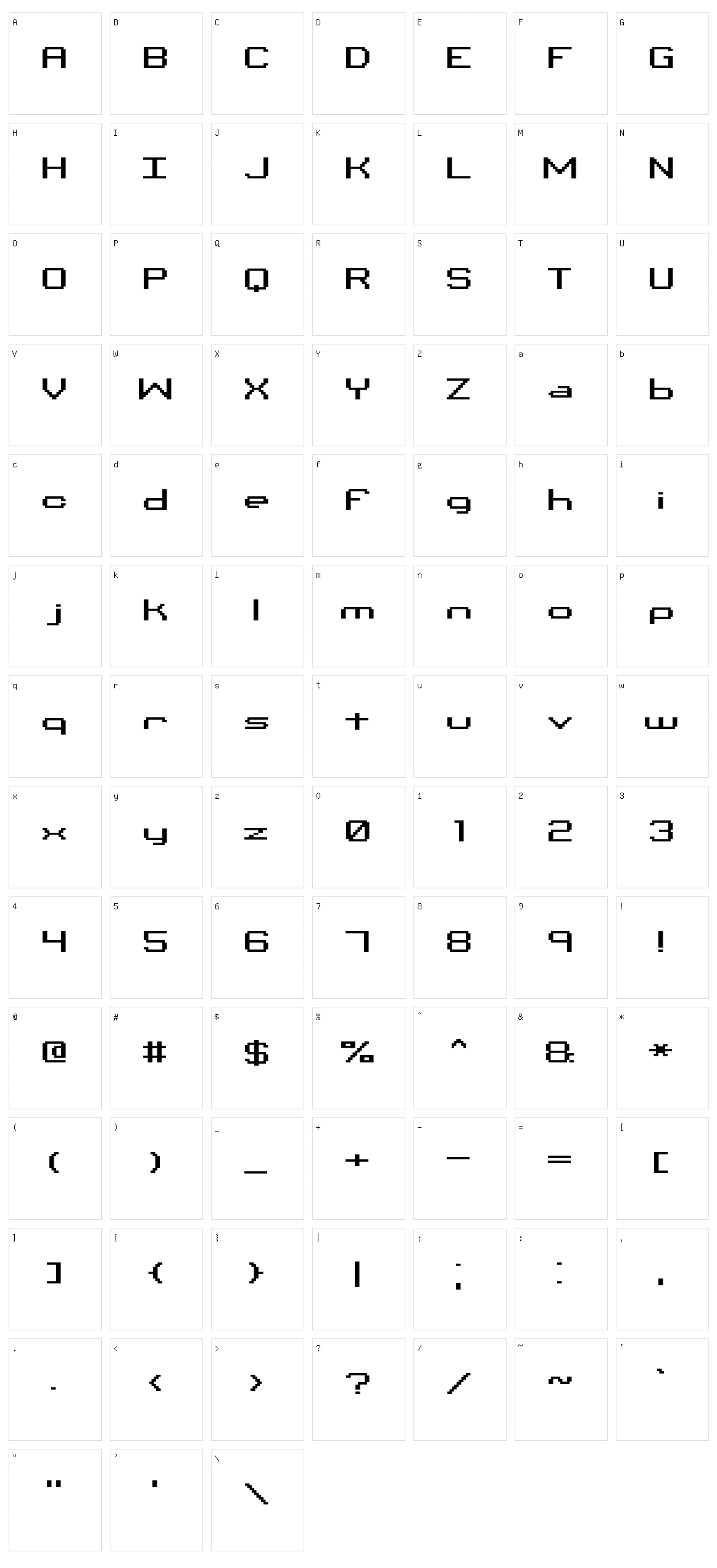
_____________________________
Binary Created by Brian Kent
¯¯¯¯¯¯¯¯¯¯¯¯¯¯¯¯¯¯¯¯¯¯¯¯¯¯¯¯¯
Thanks for Downloading Binary.
>>> This text file is best viewed with Notepad (with Fixedsys) <<<
______________________________
¤¤ INCLUDED TRUE TYPE FONTS ¤¤
- Binary [binaryt.ttf]
- Binary X [binaryx.ttf]
- Binary 01s [bin01st.ttf]
- Binary X 01s [binx01s.ttf]
- Binary CHR [binchrt.ttf]
- Binary X CHR [binxchr.ttf]
NOTE: 'binaryt.ttf', 'bin01st.ttf' and binchrt.ttf may not work
properly on older computers, so I included non-hinted 'X' versions
('binaryx.ttf' 'binx01s.ttf' and binxchr.ttf) that should work.
When using the TTF version, try using it with anti-aliasing off.
'binary.fon', 'bin01s.fon' and 'binchr.fon' are Windows Bitmap Fonts.
These fonts are best used at the point sizes listed above. To use
them at larger point sizes (for images), try using a graphics program
like Photoshop, Paint Shop Pro, or the Paint program that comes with
Windows. Type out your text at the recommended point size, then
resize the image. Set the color mode to 256 or 2 colors so the edges
don't get blured when resizing, then after you have the text to the
size that you want, then change back to a higher color mode and edit
the image.
For programs that don't show Bitmap Fonts in the Font Selector, you
may be able to get the fonts to work by typing one of the following
font names:
binary -brk-
binary 01s -brk-
binary chr -brk-
_________________________
>>> FONT DESCRIPTIONS <<<
¯¯¯¯¯¯¯¯¯¯¯¯¯¯¯¯¯¯¯¯¯¯¯¯¯
»»» Binary (binaryt.ttf, binaryx.ttf and binary.fon)
Each character in this font has 3 sections
1] TOP - Displays the Character of the font (ABC123, ect...)
2] MIDDLE - Displays the Binary Value of the character. In the font,
Dots are ZEROS '0' and Lines are ONES '1'.
3] BOTTOM - Displays the HEX Value of the character.
EXAMPLE:
________
| |
| Z | <- CHARACTER
|______|
01011010 <- BINARY VALUE
|¯¯¯¯¯¯|
| 5A | <- HEX VALUE
|______|
»»» Binary 01s (bin01st.ttf, binx01s.ttf and bin01s.fon)
Each character in this font is the Binary Value of the characters
(just 0s and 1s). In the font, Dots are ZEROS '0' and Lines are
ONES '1'.
EXAMPLE:
010000100110100101101110011000010111001001111001
This spells out Binary
»»» Binary CHR (binchrt.ttf, binxchr.ttf and binchr.fon)
This font has all of the characters without the Binary and HEX Values.
To use the ALT#, press and hold the ALT key then on the Number Pad
type in the 4 numbers. When you release the ALT key the character
will appear.
If you have any questions or comments, you can e-mail me at
kentpw@norwich.net
You can visit my Homepage <ÆNIGMA GAMES & FONTS> at
http://www.aenigmafonts.com/
________________
INSTALLING FONTS
¯¯¯¯¯¯¯¯¯¯¯¯¯¯¯¯
There's a couple of ways to install Fonts. The 'easy' way to
install fonts is to just Unzip/place the font file [.ttf] into your
Windows\Fonts directory (I always use this method). If you're unable
to do it the 'easy' way, then try to do it this way (for Windows
95/98/NT):
1] Unzip the Font(s) to a folder (or somewhere, just remember where
you unzipped it) on your Computer.
2] Next, click on the START button, then select SETTINGS then
CONTROL PANEL.
3] When the Control Panel Window pops up, Double Click on FONTS.
4] When the FONTS window pops up, select File then Install New Font...
5] A Add Fonts window will pop up, just go to the folder that you
unzipped the Font(s) to, select the Font(s) and then click on OK.
Now the Font(s) are installed.
Now you can use the Font(s) in programs the utilize Fonts. Make
sure that you install the font(s) first, then open up your apps
(so the app will recognize the font). Sometimes you'll have to
wait until you computer 'auto-refreshes' for programs to recognize
fonts (Windows is sometimes slow to do that). You can refresh your
computer quicker by going into Windows Explorer -or- My Computer and
press F5 (or in the menubar select VIEW then REFRESH).
__________
DISCLAIMER
¯¯¯¯¯¯¯¯¯¯
-The font(s) in this zip file were created by me (Brian Kent). All
of my Fonts are Freeware, you can use them any way you want to
(Personal use, Commercial use, or whatever).
-If you have a Font related site and would like to offer my fonts on
your site, go right ahead. All I ask is that you keep this text file
intact with the Font.
-You may not Sell or Distribute my Fonts for profit or alter them in
any way without asking me first. [e-mail - kentpw@norwich.net] More